Rosa Update: October 23, 2026
Choose the messages you get, see more of yourself on your dashboard, and meet Rosa for VS Code.
Messages, your way
You choose which direct messages Rosa sends you. Messages from Rosa, on your dashboard, has a switch for each kind. Messages about moderation always come through.
Website · Rosa Terminal · Rosa Conservatory · Rosa Support · Rosa Wildlife
Rosa can whisper to you in the game when a hatchling is ready. Turn on the hatchling whisper, and you hear it the moment a hatchling from your nest is waiting to be brought in.
Rosa Conservatory · Website
You can get a short look back on your Reserve anniversary. Turn on Your year in the Reserve, and on the day you joined you get a short message about your year with us.
Rosa Wildlife · Website
More of you on your dashboard
Your petals and items are on your dashboard. Check your balance and everything you own without asking the bot.
Website
Every suggestion you made has its own page. Your suggestions, in the account menu, shows the votes, where each one stands and any note from staff.
Website
Your hours in the Reserve now earn milestones. Pass one and its badge appears on your sprout page, along with a role or petals when the milestone has them.
Website
New sprouts get a checklist for their first week. A few first steps on your dashboard, like setting up your sprout page. Most of them tick themselves once you have done them.
Website
You can ask for a copy of your data with one button. It sits at the bottom of your dashboard, and staff send you the link once your copy is ready.
Website
Your editor, in Reserve colors
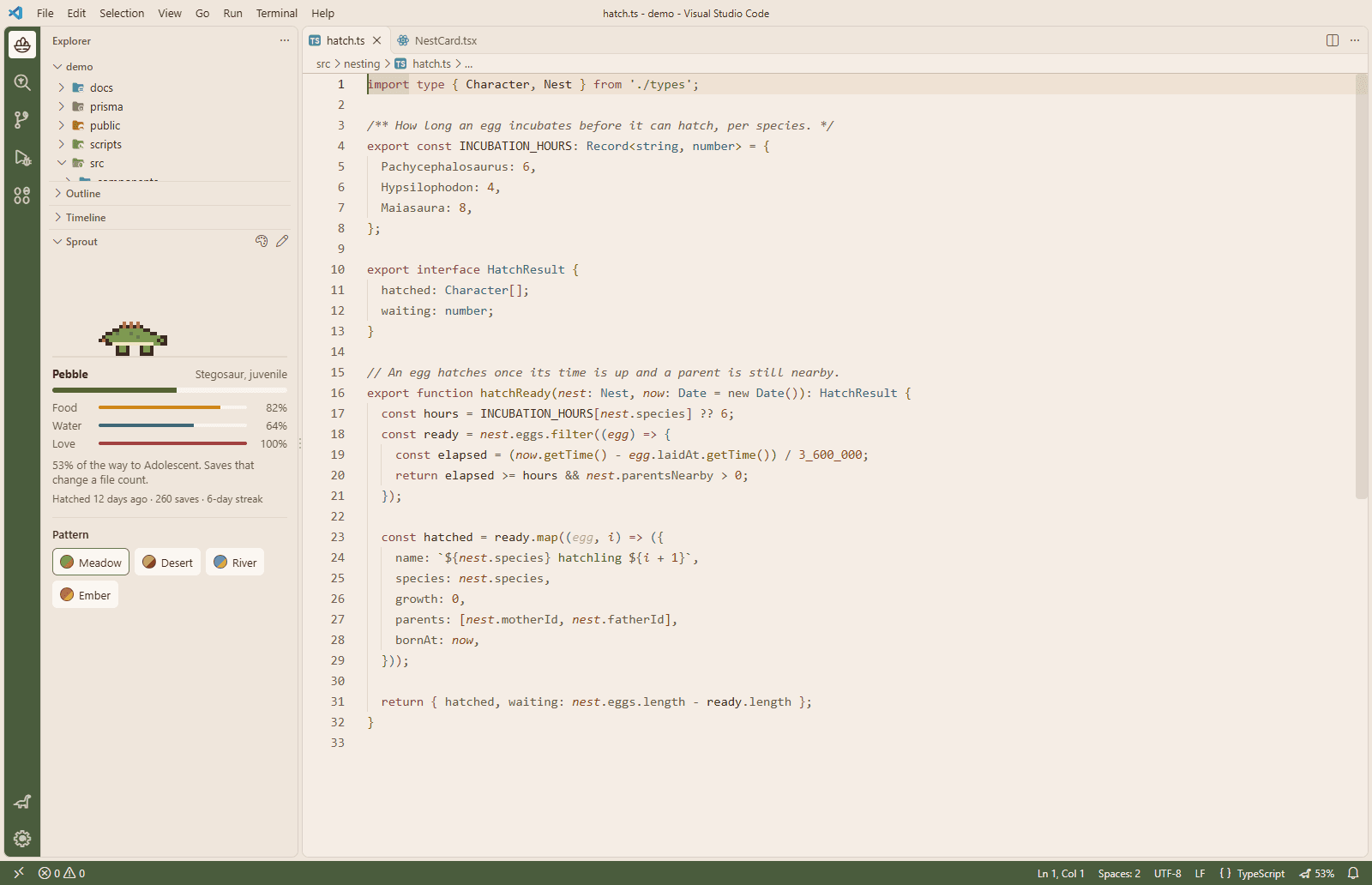
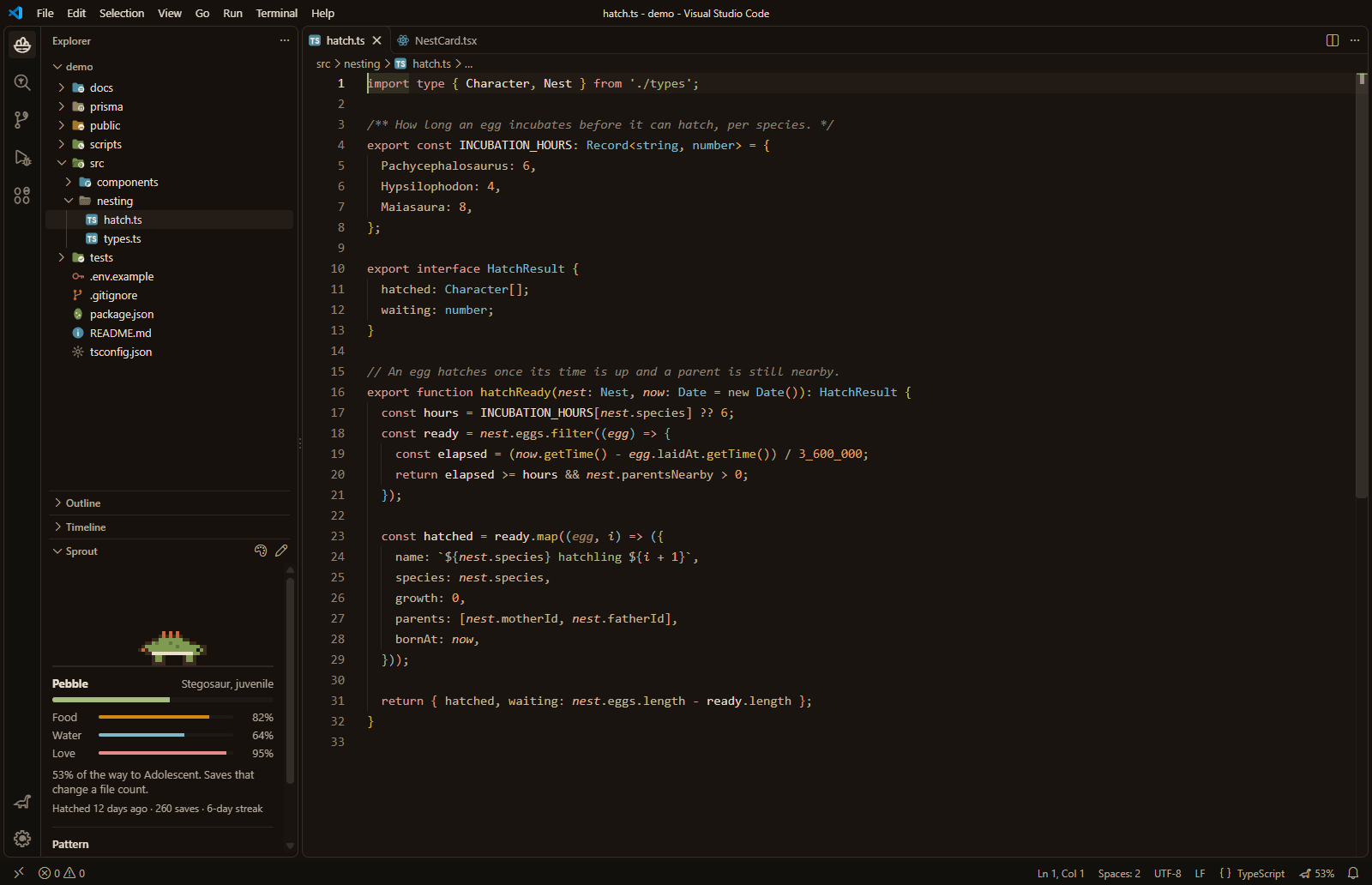
Rosa Dark and Rosa Light bring the colors of our site to VS Code. Every text color has a contrast of at least 4.5 to 1, so your code stays easy to read in either one.
Website
The bar down the side of VS Code gets Rosa icons. A nest of eggs for the Explorer, a fern branch for source control, an amber drop for tests and a sauropod for your account.
Website
Your files and folders get 54 Rosa icons of their own.
Website
A sprout that grows with your work
A pixel dinosaur hatches in your Explorer and grows as you save. A save counts when the file changed, at most once a minute per file. Your sprout becomes a Hatchling at 10 saves, a Juvenile at 100, an Adolescent at 400 and an Adult at 1,000.
Website
You pick your dinosaur while it is still an egg. Choose a sauropod, stegosaur, ceratopsian or raptor, and change your mind until it hatches. If you haven't picked by then, VS Code asks you.
Website
Once it hatches, your sprout can wear one of four patterns. Meadow, Desert, River or Ember. Switch any time in the Sprout view or with the palette button.
Website
Your sprout needs food, water and love. Saving your work feeds it and clearing all your errors gives it water. Click it, or press Tab and then Enter or Space, to pet it with a floating heart.
Website
Your sprout never dies and never loses its growth. Food empties over 12 hours, water over 8 and love over a day, so a week away just means a hungry dinosaur.
Website
A stats line keeps count for you. It shows when your sprout hatched, how many saves it has and your streak of days in a row with a save.
Website
A few small touches, and finding Rosa for VS Code
You can buy several of one item in the shop at once. Pick how many, up to ten, and you see the total before you pay.
Rosa Conservatory
Long lists of guides now show page numbers. Resources shows the first few of each category, with a link to see them all.
Website
Rosa for VS Code has its own page under Resources, in Documentation. It shows what is in the extension, every dinosaur and pattern, and how to switch on each theme.
Website
The extension is free and open source. Search for Rosa Wildlife Reserve in the Extensions view of VS Code, or read the code on GitHub under the MIT license.
Website
With Settings Sync on, your sprout follows you to your other computers.
Website
The Sprout view opens by itself the first time. If the speech bubbles get chatty, a setting turns them off.
Website
Looking for the fixes too? Read the patch notes.